Best Free Online Browsers for Private Web Access
Explore free Web Proxies that work without installation, their privacy limitations, and how they differ from the WadeX antidetect browser.
- 1.What Is a Private Web Browser?
- 2.Best Free Online Browsers — No Installation Required
- 3.Highlights:
- 4.Highlights:
- 5.Highlights:
- 6.Highlights:
- 7.WadeX — Antidetect Browser for Isolated Profiles
- 8.Key WadeX features:
- 9.Safe Browsing Tips
- 10.Conclusion
Sometimes a website may be unavailable because of network restrictions. This can happen at school, at work, on public Wi-Fi, or on other networks where access to specific websites is filtered.
In these situations, free online tools can help you access websites through an intermediary server directly from your regular browser. They require no additional software and can be useful for simple tasks such as watching videos, reading articles, or accessing web services.
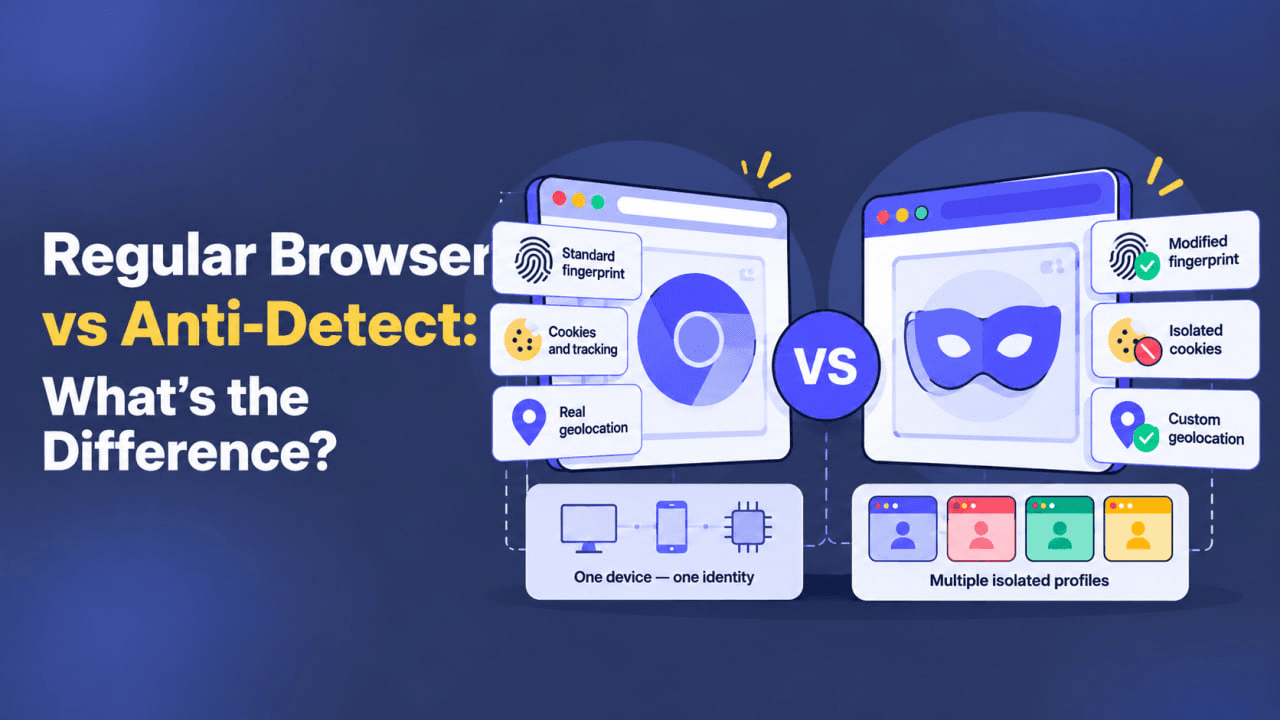
We’ll also look at antidetect browsers, which work differently and are primarily designed to create separate browser environments and manage Browser Fingerprint parameters.
What Is a Private Web Browser?
A private browser is a general term for a tool that helps reduce the amount of information exposed during browsing or limits certain types of online tracking.
These tools can include:
- Web Proxies;
- secure connection apps;
- privacy-focused browsers;
- antidetect browsers.
The actual level of privacy depends on the technology being used. For example, a basic Web Proxy changes the route of web traffic, but it does not provide the same protection as a full VPN and does not automatically hide your Browser Fingerprint from websites.
| Tool | Main Function |
|---|---|
| Web Proxy | Web Traffic + Proxy IP |
| VPN | Encrypted Tunnel + Public IP |
| Antidetect Browser | Browser Fingerprint + Isolated Browser Profiles |
Best Free Online Browsers — No Installation Required
CroxyProxy
CroxyProxy is a free Web Proxy that works directly inside your existing browser. There is no need to install a separate application: simply open the service and enter the address of the website you want to visit.
Highlights:
- runs directly in your browser;
- no installation required;
- simple interface;
- works across different devices.
Overall, CroxyProxy is a convenient option when you need a simple way to open a website through an intermediary server.
BoomProxy
BoomProxy also works directly through your browser. Enter the website address, and the service loads the page through its Proxy Server.
No additional installation or complicated setup is required.
Highlights:
- no installation required;
- simple interface;
- quick to start;
- suitable for basic web browsing.
It can be a practical option when you need temporary browser-based access through a Web Proxy.
4everproxy
4everproxy allows users to select a server and region before connecting.
This makes it possible to change the IP address visible to the destination website and choose a suitable network location.
Highlights:
- server and region selection;
- supports different types of websites;
- can be used on mobile devices;
- no separate application required.
4everproxy can be useful when you need both Web Proxy access and the ability to choose a connection region.
ProxySite
ProxySite is another Web Proxy that allows you to open websites through an intermediary server without installing additional software.
To get started, you simply enter the address of the website you want to access.
Highlights:
- simple interface;
- free access;
- no software installation;
- works through a standard browser.
ProxySite is suitable for basic tasks when you need quick access to a website through a Web Proxy.
| Tool | Type | Installation | Main Use |
|---|---|---|---|
| CroxyProxy | Web Proxy | Not required | Quick access through an intermediary server |
| BoomProxy | Web Proxy | Not required | Basic browser-based proxy access |
| 4everproxy | Web Proxy | Not required | Proxy access with server and region selection |
| ProxySite | Web Proxy | Not required | Simple web access through a proxy |
| WadeX | Antidetect Browser | Required | Isolated browser profiles and Browser Fingerprint management |
WadeX — Antidetect Browser for Isolated Profiles
For more advanced tasks, a basic Web Proxy may not be enough.
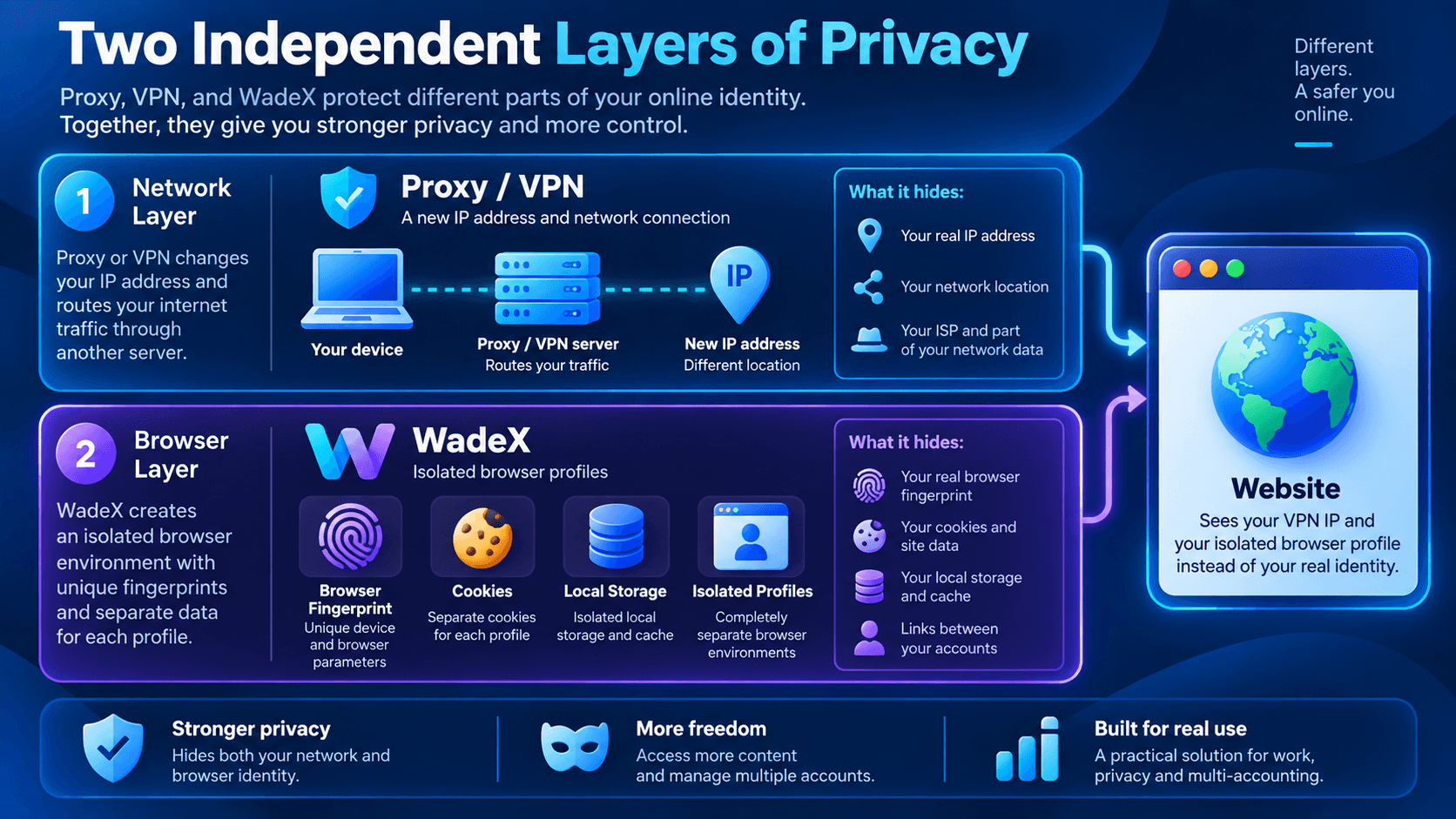
WadeX is an antidetect browser designed to create separate browser profiles and manage their parameters. This approach can be useful for working with multiple projects, accounts, advertising environments, and other independent browser sessions.
Each WadeX profile operates as a separate browser environment with its own:
- Cookies;
- Local Storage;
- Browser Cache;
- Browser Fingerprint;
- profile settings;
- network connection.
This isolation helps prevent local browser data from different profiles from being mixed together.
Key WadeX features:
- separate browser profiles;
- Browser Fingerprint management;
- isolated Cookies and other local browser data;
- individual network settings for profiles;
- centralized management of multiple browser environments.
Unlike a Web Proxy, WadeX works primarily at the browser environment level. When necessary, it can be combined with a Proxy or VPN because these technologies operate at different layers.
However, an antidetect browser does not provide complete anonymity and cannot guarantee that websites will not perform additional checks.
Safe Browsing Tips
- Avoid logging into important personal accounts on shared or public devices.
- Use Incognito Mode if you do not want local browsing history saved on a shared computer.
- Avoid entering passwords or payment information through unknown free Proxy services.
- Make sure websites use HTTPS before transmitting sensitive information.
- Use trusted services and avoid suspicious websites.
- Follow the internet-use policies of your organization, school, workplace, or region.
Conclusion
You do not always need additional software for basic access to websites. CroxyProxy, BoomProxy, 4everproxy, and ProxySite allow you to load web pages through a Proxy Server directly from a standard browser.
However, these services are primarily intended for basic web browsing and do not provide complete protection against online tracking.
For tasks that require separate browser environments, WadeX can be used to create isolated profiles with separate Cookies, Browser Fingerprint parameters, and other browser data.
The right tool depends on the task: a Web Proxy is suitable for quick access through another server, while an antidetect browser is designed for managing separate and isolated browser profiles.