AdsPower vs. WadeX: Which Antidetect Browser Should You Choose?
Compare AdsPower and WadeX across Browser Fingerprint accuracy, profile isolation, mobile emulation, automation, and team-management features.
- 1.What AdsPower Does Well
- 2.Reported Security Incident
- 3.Where Beginners Struggle With AdsPower
- 4.Why Some Professionals Look Elsewhere
- 5.What Users Expect From Modern Alternatives
- 6.Why Beginners Like WadeX
- 7.Why Professionals Choose WadeX
- 8.Why WadeX Is Positioned as a Modern Alternative
- 9.What to Consider When Comparing AdsPower and WadeX
- 10.Summary
AdsPower is often one of the first antidetect browsers beginners come across. It has been on the market for a long time, and its active promotion makes it hard to miss. For many newcomers, AdsPower feels like an obvious starting point.
But the real question is whether it still deserves that status or whether more modern alternatives are now available.
One option worth considering is WadeX — an antidetect browser built around Browser Fingerprint accuracy and profile isolation, designed for both solo users and teams.
What AdsPower Does Well
AdsPower has several strengths that explain its popularity.
It offers cloud synchronization of profiles, which makes it easier for teams to share access. It also includes enough built-in tools for basic multi-account management, while the starting price remains relatively accessible.
These qualities make AdsPower an approachable first step into the antidetect-browser market.
At the same time, these advantages are no longer unique. Many modern browsers now provide similar functionality, often with greater focus on usability, security practices, profile isolation, and reliability.
Reported Security Incident
There have been reports of a security incident affecting AdsPower, with some user credentials and profile configuration data reportedly exposed.
For a product focused on privacy and account isolation, reports like these naturally raise concerns among users and security professionals. They may also encourage teams to reassess their current toolset and compare alternative solutions.
Where Beginners Struggle With AdsPower
For users who are new to antidetect browsers, AdsPower can feel somewhat overwhelming.
The interface has a learning curve, and many users rely on external tutorials to understand certain workflows.
The free tier is also limited, which can make it difficult to test full workflows before upgrading.
Another practical concern is the speed of Chromium Core updates. At certain times, updates have arrived relatively slowly. Since browser technologies and website defenses evolve continuously, delayed engine updates may lead to compatibility issues.
Some users have also reported that certain generated fingerprints can appear less natural than real-world device configurations.
| Factor | What Matters | Role in Overall Quality |
|---|---|---|
| Chromium Updates | Regular browser engine updates | Keep the browser environment up to date and compatible |
| Browser Fingerprint | Realistic and consistent parameters | Helps the profile match a plausible real-device configuration |
| Profile Isolation | Separation of Cookies, Local Storage, and Sessions | Prevents data from mixing between separate profiles |
| Proxy Management | Separate network settings for individual profiles | Helps align the network environment with the profile parameters |
| Team Features | Workspaces, roles, and access management | Simplifies collaboration when working with multiple profiles |
| Automation | API and integration with automation tools | Allows browser profiles to be integrated into automated workflows |
| Overall Consistency | All components work together as a unified environment | The quality of an antidetect browser depends not on a single feature, but on how consistently all components work together |
Why Some Professionals Look Elsewhere
For experienced users, the limitations can become more noticeable.
AdsPower offers mobile emulation for iOS and Android, but its implementation may feel relatively basic compared with newer alternatives.
Integration with automation tools and marketing workflows is another area that matters for professional users. API flexibility, convenient automation, and compatibility with existing tools can significantly affect large-scale workflows.
Teams may also need:
- isolated workspaces;
- granular permission controls;
- activity logs;
- flexible Browser Fingerprint configuration;
- reliable profile sharing.
These are areas where newer antidetect browsers have increasingly focused development.
What Users Expect From Modern Alternatives
Modern users expect antidetect browsers to be easy enough for beginners while still giving professionals detailed control.
Important characteristics include:
- timely browser-engine updates;
- realistic Browser Fingerprint configurations;
- reliable profile isolation;
- transparent security practices;
- clear team-management features;
- automation support;
- mobile profile support.
This is the context in which newer alternatives have gained attention.
Why Beginners Like WadeX
WadeX is designed to make initial setup relatively straightforward.
Registration takes little time, and the promo code FULLACCESS provides 7 days of Starter access, including mobile profiles.
There is a built-in onboarding guide inside the browser, as well as a Telegram bot with step-by-step setup instructions for new users.
Profile creation is also simplified.
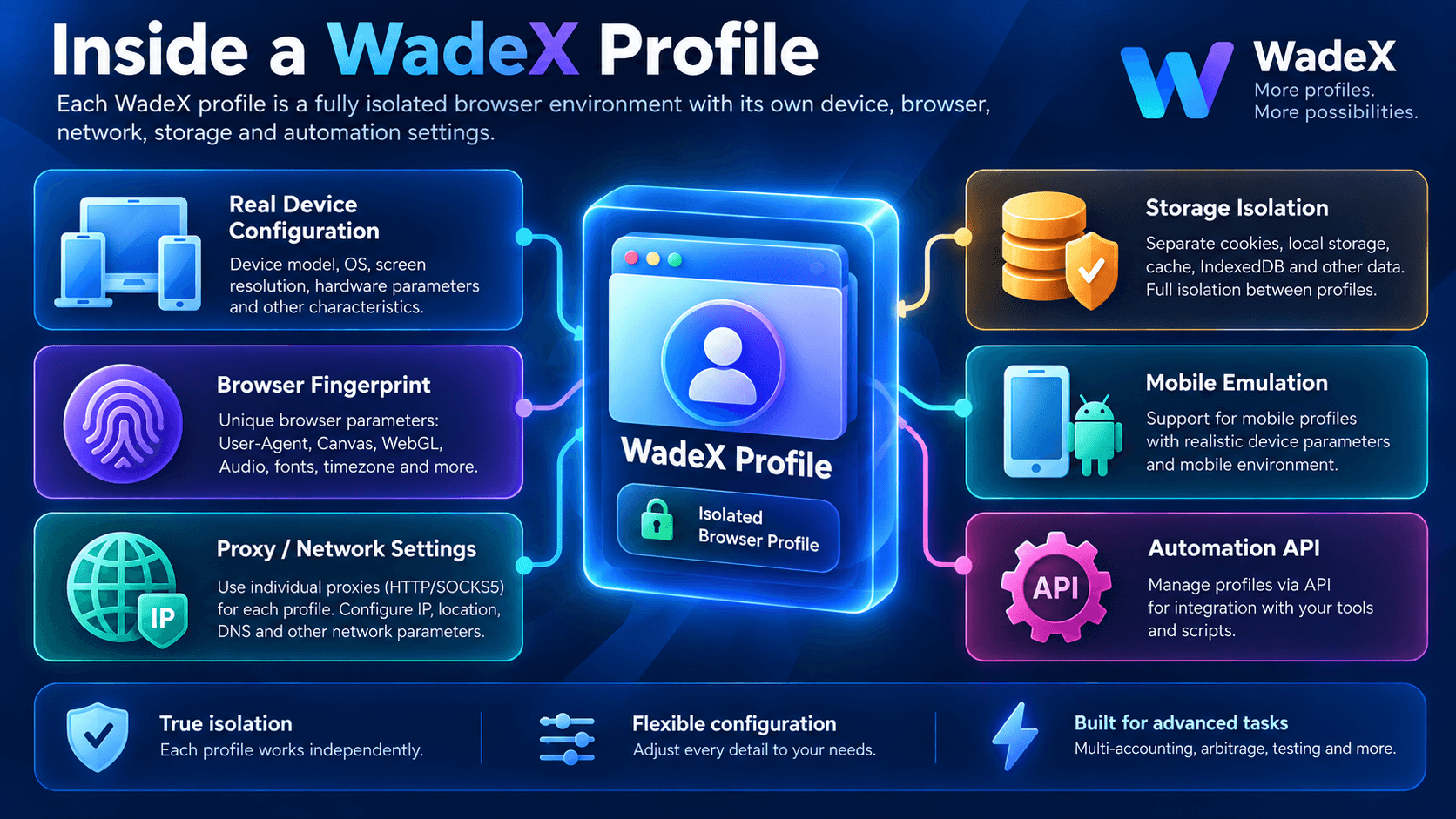
Smart Mode automatically generates a Browser Fingerprint, while the built-in uniqueness checker helps users see how the profile appears to websites.
Time, language, and Timezone can also adjust automatically based on the selected Proxy, reducing the amount of manual configuration.
Why Professionals Choose WadeX
For more advanced workflows, WadeX provides additional functionality.
Mobile emulation supports both iOS and Android and includes more than simply changing the User-Agent.
Advanced team features include:
- isolated workspaces;
- Role-Based Access;
- Audit Log;
- automated profile warming.
The fingerprint engine uses configurations based on real devices. Both Smart Mode and Config Pool work from this configuration base.
API access supports Playwright, Puppeteer, and Selenium, making it easier to integrate WadeX into existing automation workflows.
For Google-related workflows, WadeX also handles Chrome-specific network elements such as X-Client-Data and X-Browser-*, helping keep Browser Fingerprint and network behavior aligned.
Why WadeX Is Positioned as a Modern Alternative
WadeX is developed by the Whoer.net team and has been operating for several years.
Its core approach is that a browser profile should resemble a consistent real-world device configuration rather than simply pass a surface-level fingerprint check.
Fingerprints are generated from real device configurations, while profiles are isolated at the network and browser-storage levels.
The Chromium engine is kept current, and the browser also focuses on mobile emulation, automation, and team workflows.
This allows WadeX to support both individual users managing a small number of profiles and larger teams operating at a significantly higher scale.
What to Consider When Comparing AdsPower and WadeX
It is better not to choose an antidetect browser based only on a feature list.
Test it under conditions that resemble your actual workflow:
- target platform;
- Proxy type;
- number of profiles;
- desktop or mobile environments;
- automation requirements;
- team collaboration;
- profile migration.
Browser Fingerprint consistency should also be part of the evaluation.
User-Agent, Client Hints, operating system, screen parameters, Timezone, browser version, and network configuration should not obviously contradict one another.
Summary
AdsPower remains a well-known antidetect browser and can be a practical entry point for users who need basic profile management and an accessible starting price.
However, modern antidetect workflows increasingly depend on more than basic multi-account functionality.
Browser Fingerprint quality, profile isolation, Chromium updates, mobile emulation, automation, and team-management features all matter.
WadeX offers 7 days of access with the promo code FULLACCESS, allowing users to test the browser under their own real-world conditions.
It combines Browser Fingerprint management, Proxy configuration, mobile emulation, team collaboration, and automation tools in one platform.