Antidetect VPN: Why Combine a VPN With an Antidetect Browser?
A VPN changes your visible public IP but does not hide your Browser Fingerprint. Learn how combining a VPN with an antidetect browser addresses both network and browser-level privacy.
- 1.What Is Browser Fingerprinting and Why Is It Hard to Avoid?
- 2.Is Using a VPN Alone Enough?
- 3.What Is Antidetect VPN and How Is It Different?
- 4.How WadeX and WhoVPN Work Together
- 5.Legal and Ethical Use
- 6.Conclusion
Using a VPN has long been a standard step for protecting online privacy. However, simply masking your IP address is not always enough: websites and trackers can also analyze your Browser Fingerprint to identify browsers and devices.
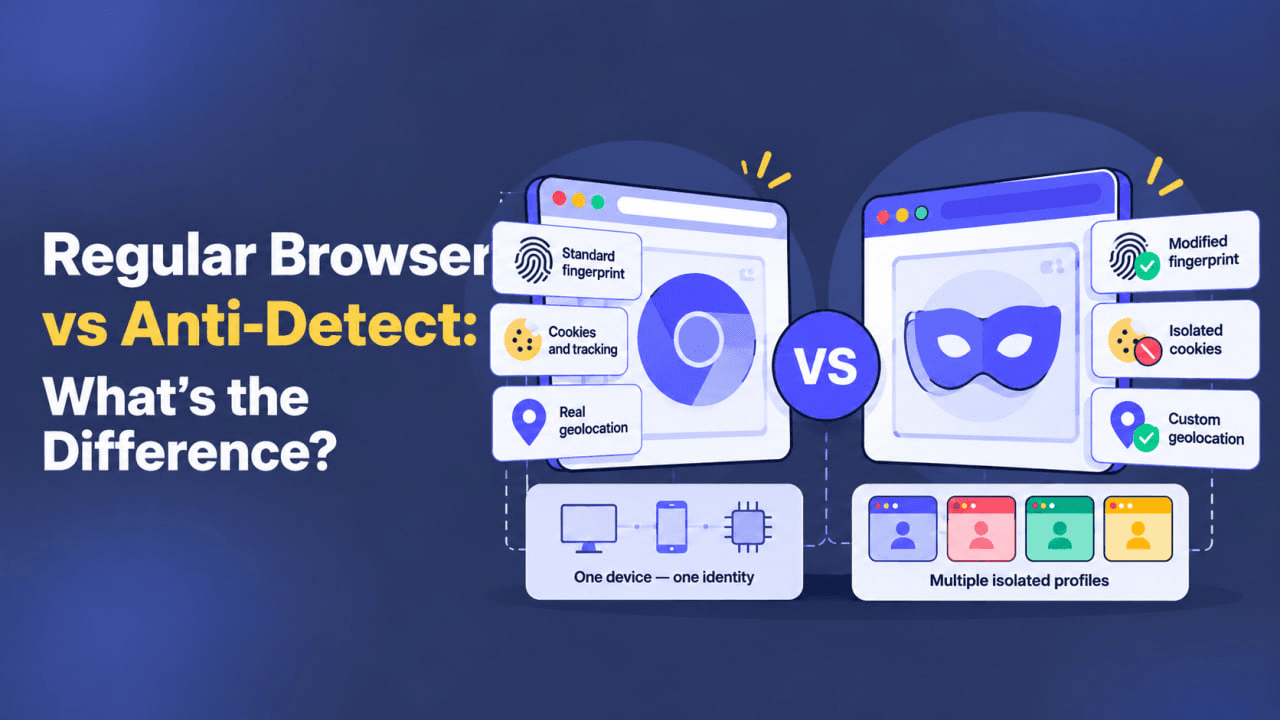
This is where Antidetect VPN comes in — combining a VPN with an antidetect browser helps protect privacy at two different levels. A VPN changes your visible public IP address and protects network traffic, while an antidetect browser helps manage your Browser Fingerprint and browser environment.
What Is Browser Fingerprinting and Why Is It Hard to Avoid?
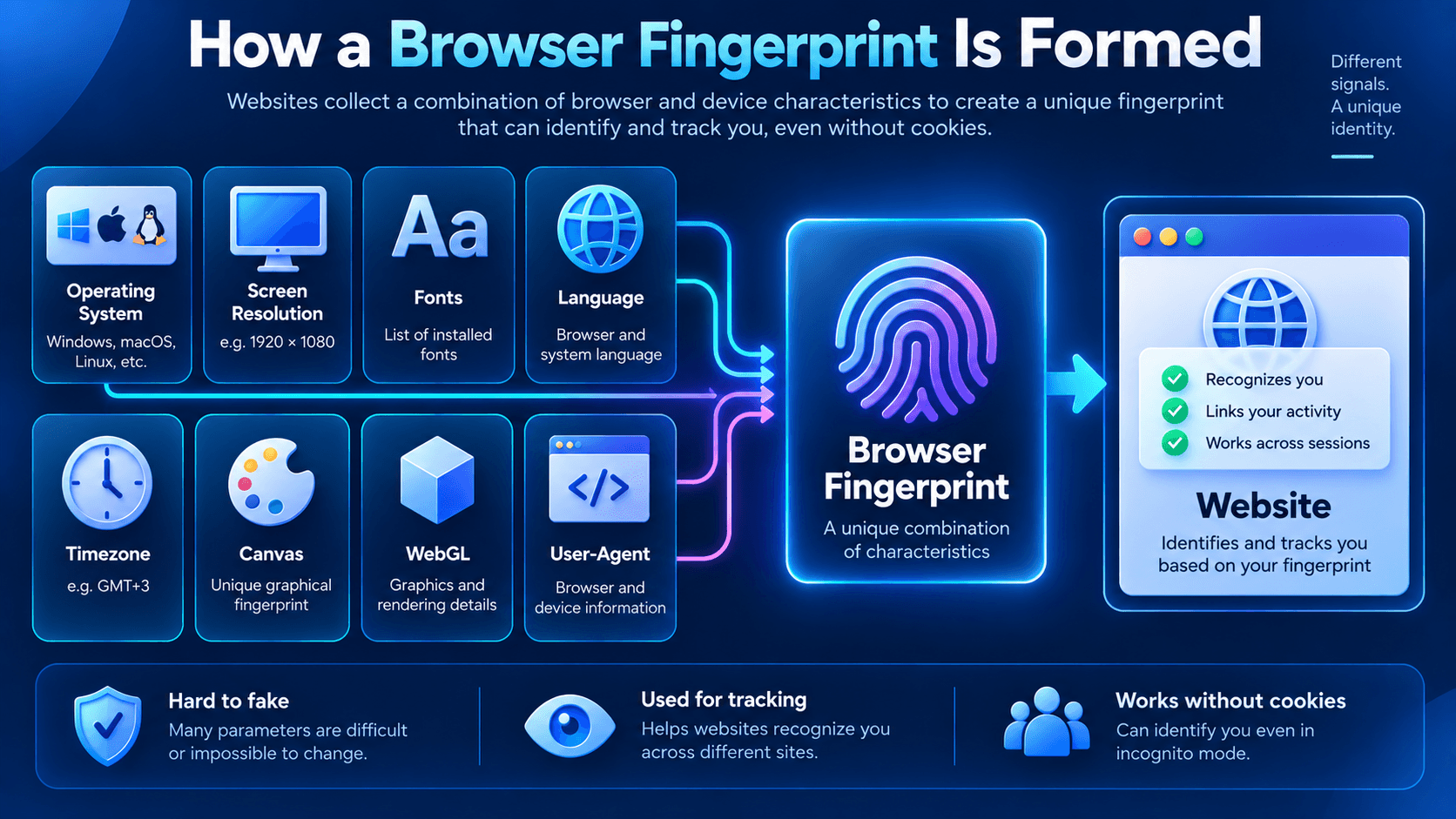
Your browser leaves various digital “traces” online. These may include:
- operating system;
- screen resolution;
- installed fonts;
- language;
- Timezone;
- Canvas parameters;
- graphics hardware information through WebGL;
- User-Agent and other browser characteristics.
Together, these details can form a Browser Fingerprint, which websites may use as one of the signals for recognizing returning browsers.
Clearing Cookies or using Incognito Mode does not completely prevent Fingerprinting. Many browser and device characteristics remain available to websites even without stored Cookies.
Is Using a VPN Alone Enough?
Many users assume that changing their IP address with a VPN automatically provides anonymity. In practice, a VPN primarily works at the network level.
For example:
David connects to a VPN and selects an IP address from another country. His visible public IP and approximate location change, but his browser may still expose the same fonts, screen resolution, WebGL characteristics, and other parameters.
Together, these signals can still contribute to a recognizable Browser Fingerprint.
Conclusion: a VPN is an important privacy tool, but it does not manage your Browser Fingerprint on its own.
What Is Antidetect VPN and How Is It Different?
Antidetect VPN combines two key components:
- A VPN service, such as WhoVPN, which changes your visible public IP address and encrypts the connection between your device and the VPN server.
- An antidetect browser, such as WadeX, which helps manage Browser Fingerprint parameters and separate browser profiles.
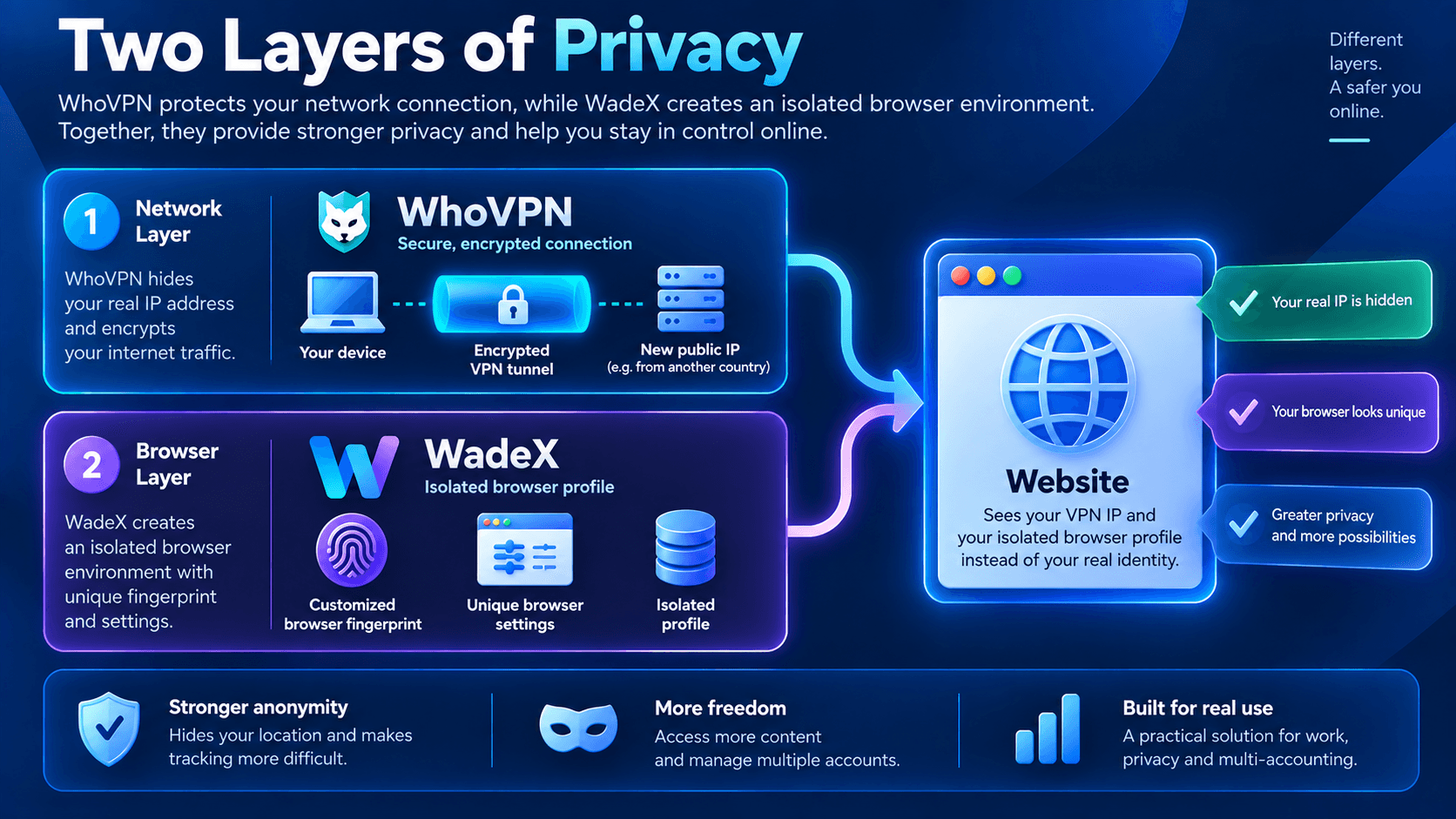
Together, these tools work at different levels: the VPN handles the network connection, while the antidetect browser manages the browser environment.
How WadeX and WhoVPN Work Together
Pairing WadeX with WhoVPN creates a layered approach to online privacy:
- WhoVPN encrypts the connection between your device and the VPN server and replaces your visible public IP address with the VPN server’s IP.
- WadeX allows you to create separate browser profiles and manage their Browser Fingerprint and related browser characteristics.
This combination addresses both network-level and browser-level privacy.
Legal and Ethical Use
VPNs and antidetect browsers can be used for privacy protection, testing, research, secure browsing, and separating browser environments.
However, users should always check local laws and the terms of the online services they use.
These tools do not override platform rules or legal restrictions.
Conclusion
VPNs remain an important privacy tool, but they do not solve the problem of Browser Fingerprinting on their own.
If you need to manage both your visible public IP address and your browser environment, a VPN can be combined with an antidetect browser.
This approach separates the two tasks: the VPN handles the IP address and network connection, while the antidetect browser manages Browser Fingerprint parameters and isolated browser profiles.
Disclaimer: Browser Fingerprint management tools and VPNs are intended for legitimate privacy, research, testing, and security purposes. They should not be used for fraud, unauthorized access, or other unlawful activities. Always follow applicable laws and service terms.