Best Antidetect Browser for Beginners: How to Choose
Looking for an easy antidetect browser? Discover why NOID browser is a good choice for beginners, how Browser Identities work, and when you need advanced tools.
- 1.What Should You Look for in Your First Antidetect Browser?
- 2.Why NOID Browser Is a Good First Antidetect Browser
- 3.What Can You Actually Use NOID Browser For?
- 4.Is NOID Browser Enough, or Do You Need a Professional Antidetect Browser?
- 5.How to Get Started With NOID Browser
- 6.What If You Want to Learn Advanced Antidetect Setup?
You’ve heard that an antidetect browser might help when websites keep recognizing your browser even after you change your IP address, restrict access, or make it difficult to use an additional account.
But once you start looking for the right browser, you’re faced with unfamiliar terms: Browser Fingerprint, Proxy, Canvas, WebGL, device settings, and different pricing plans.
Do you really need to understand all of this just to get started?
Not necessarily.
If you’re looking for an easy antidetect browser for beginners, NOID browser is worth considering. It lets you create ready-to-use browser identities, or Browser Identities, without manually configuring dozens of technical parameters.
Create an Identity, open the browser, and start browsing. Your browser settings, device configuration, connection, and browsing data are already organized within a separate environment.
You can try NOID browser free for 7 days without a credit card. After the trial, it costs $20 per month with unlimited Browser Identities.
Let’s look at why this approach works well for beginners and when a more advanced antidetect browser might be a better fit.
What Should You Look for in Your First Antidetect Browser?
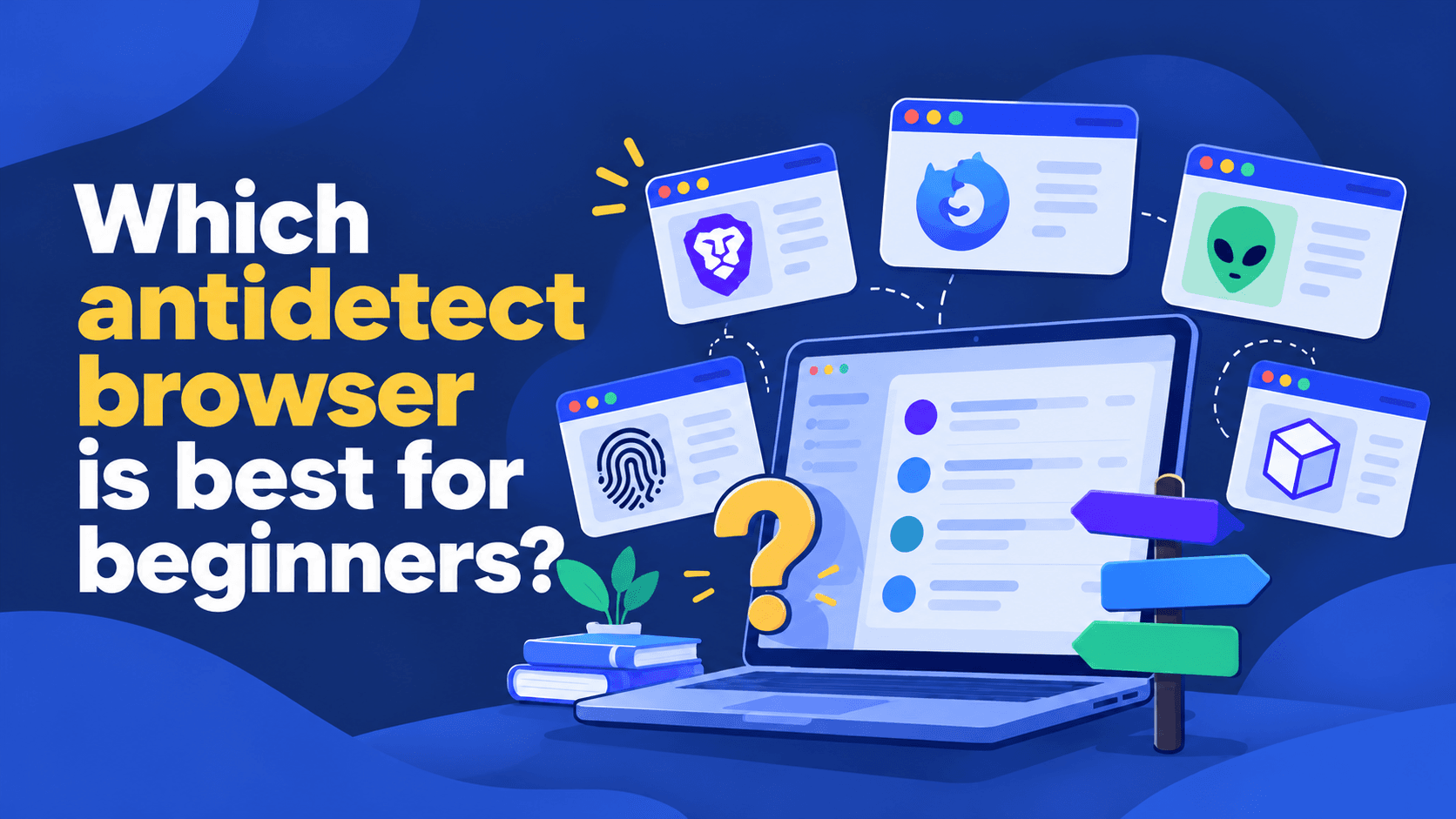
The best antidetect browser for beginners isn’t necessarily the one with the most features. What matters more is how quickly you can start using it without having to learn complicated settings.
Easy to Get Started
After installing the browser, you should know what to do next.
If opening your first browser requires understanding dozens of technical settings, it may not be the best option for someone new to antidetect browsers.
A good beginner-friendly tool should let you create a usable browser environment quickly and move on to what you actually want to do.
No Complicated Browser Fingerprint Setup
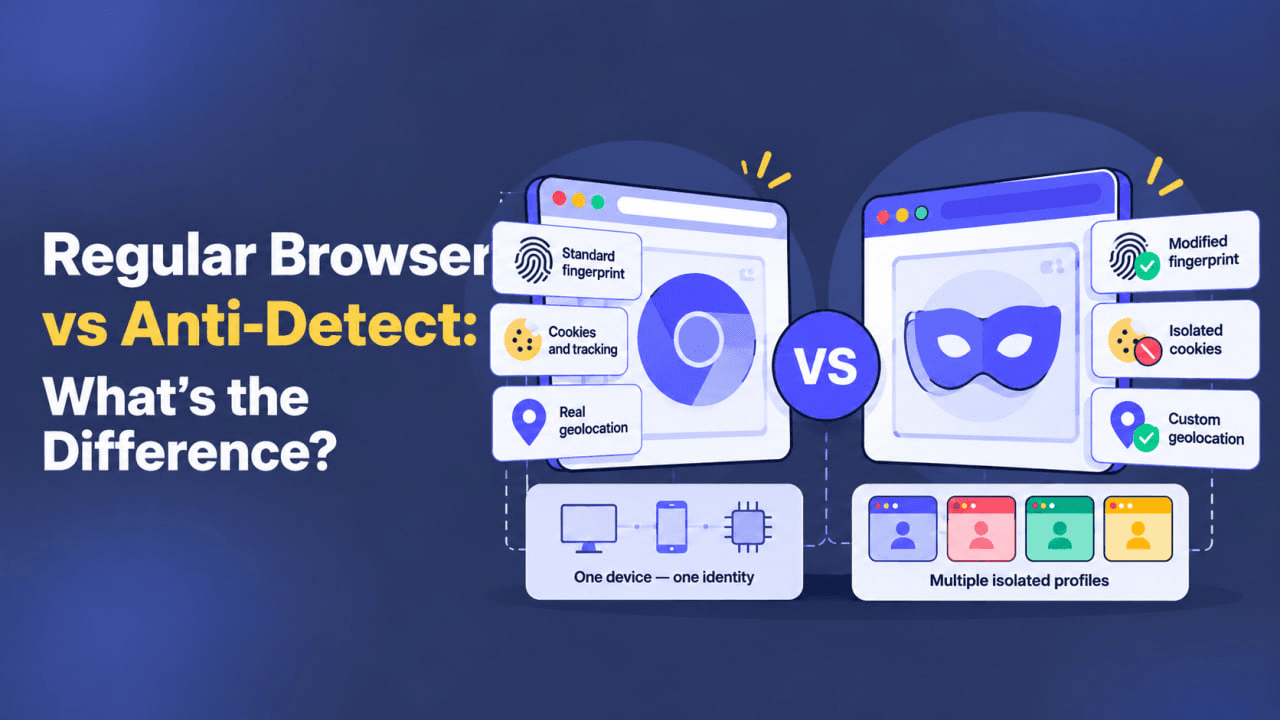
A Browser Fingerprint is a collection of browser and device characteristics that websites may use to recognize visitors.
Professional antidetect browsers let you control many of these characteristics. But beginners don’t necessarily need to choose individual values or check whether different settings are compatible.
Starting with a ready-made configuration is usually much easier.
Proxy Connections Without Extra Hassle
An antidetect browser and a Proxy serve different purposes.
The browser manages your browsing environment, while a Proxy lets you use a separate network connection and IP address.
Some antidetect browsers require you to find a Proxy provider and configure the connection yourself. Others offer built-in options.
Before choosing a browser, check which connections are available and whether Proxy traffic costs extra.
Persistent Browser Identities
Imagine you’ve set up a separate browser, logged into a website, and closed the application.
The next time you open it, you want to return to the same Identity with your cookies, settings, and session data intact instead of starting over.
Clear Pricing
You should know how much the subscription costs, how many Identities you can create, and whether there are any additional expenses.
There’s also little reason to pay for professional features you don’t plan to use yet.
Why NOID Browser Is a Good First Antidetect Browser
NOID browser takes a different approach to browser identities. Instead of requiring users to configure numerous settings themselves, it provides ready-to-use browser environments.
This is especially convenient if you need a separate browser context but don’t want to spend time learning professional tools.
No Need to Configure Browser Fingerprints Manually
Professional antidetect browsers can give users extensive control over browser and device characteristics.
However, most beginners don’t need that level of customization.
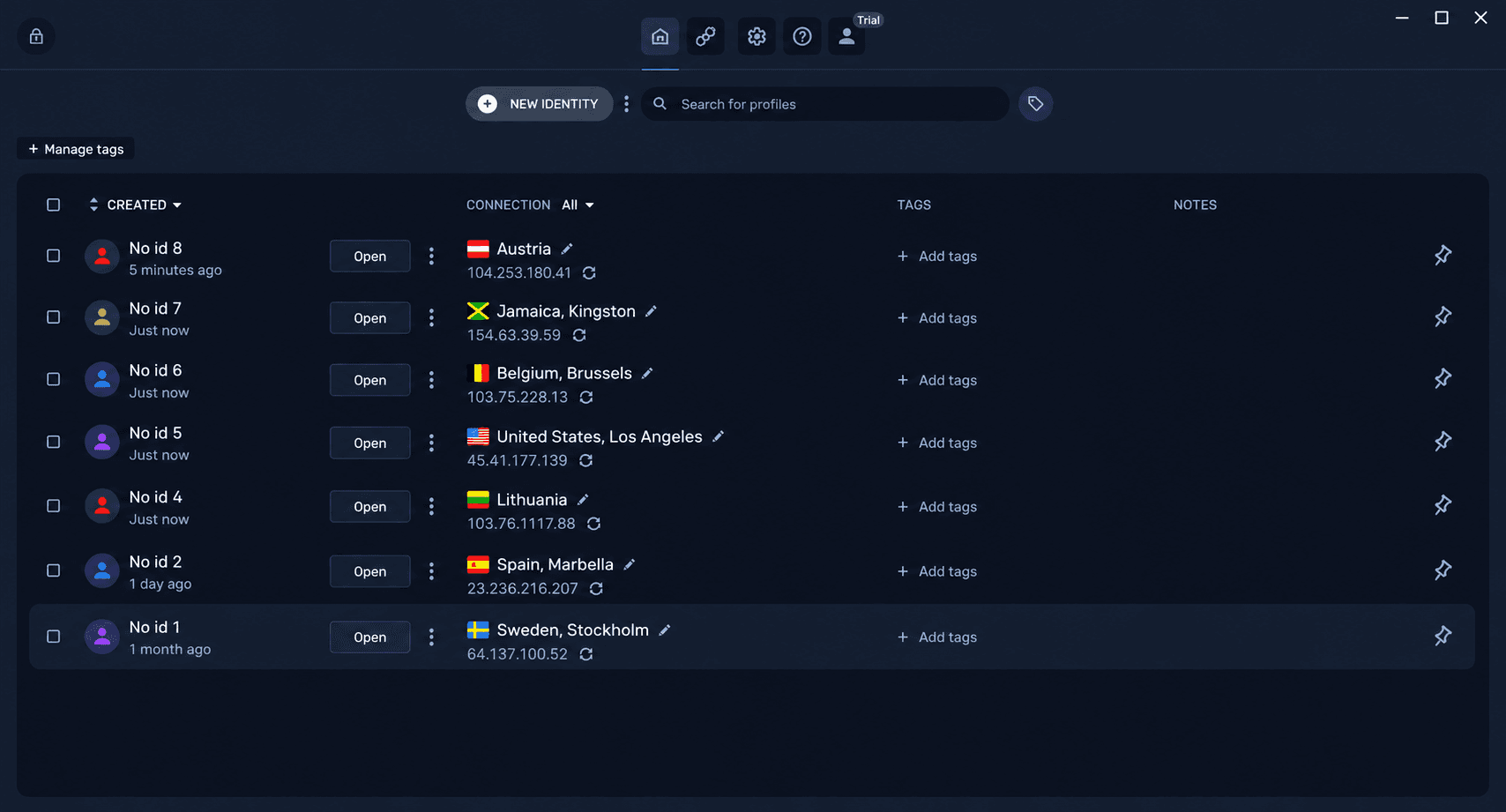
In NOID browser, each Identity already includes its own browser and device settings.
You don’t have to build a complex Browser Fingerprint configuration manually before your first session.
Built-In Residential Proxies
If you need a separate IP address, a conventional antidetect browser may require additional Proxy configuration.
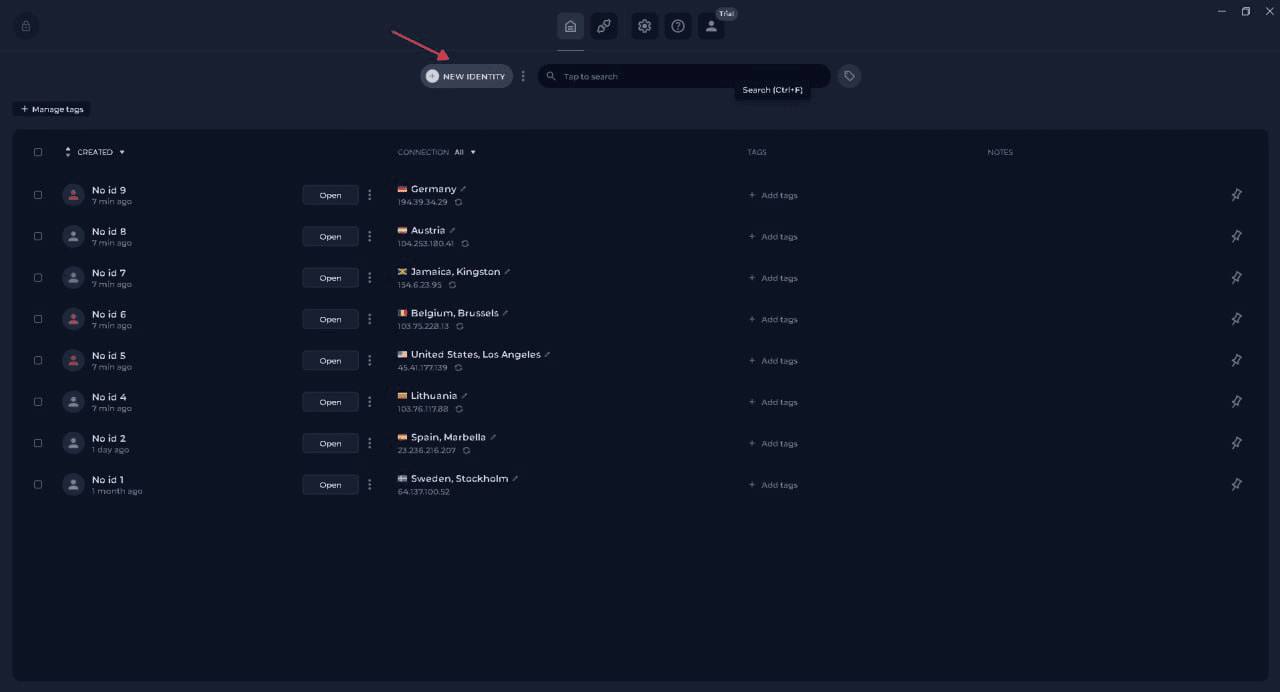
NOID browser offers built-in Residential Proxies, which use IP addresses associated with residential internet providers.
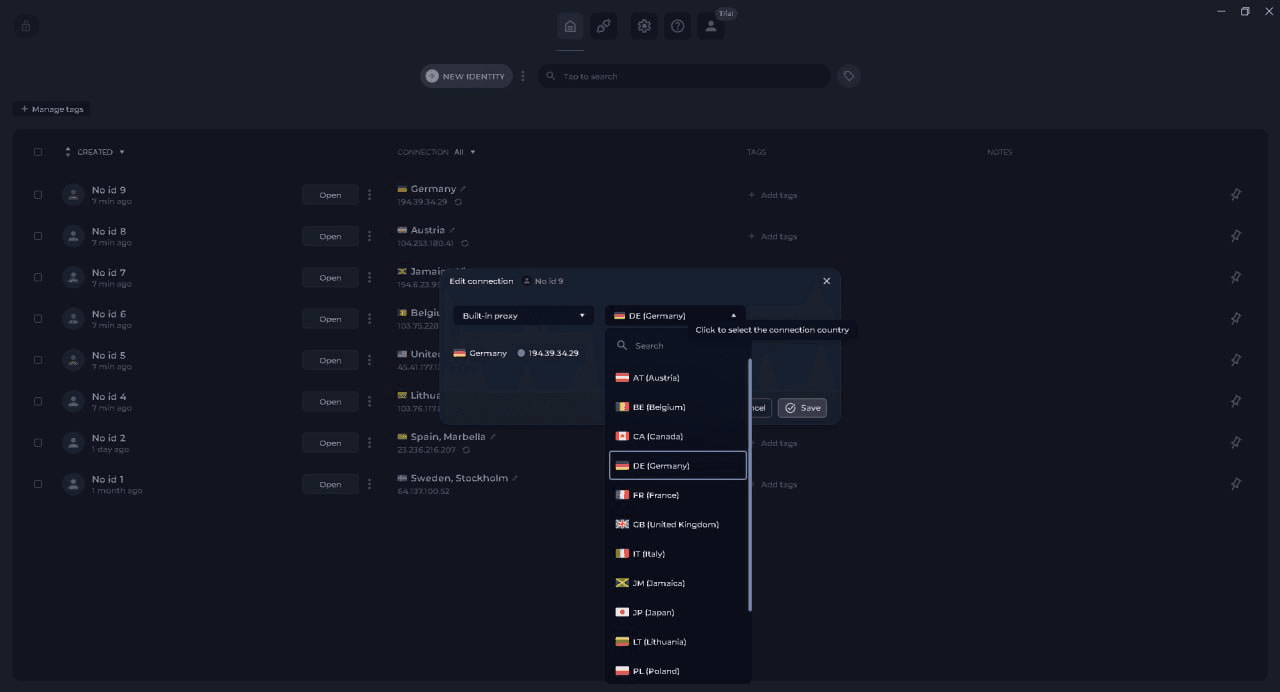
You can also use your own Proxy.
This lets you start with available connection options without first researching third-party providers or learning Proxy configuration formats.
Create as Many Identities as You Need
Each Browser Identity stores its own browser context and data.
You can create new Identities for different purposes and return to existing ones whenever you need them.
There’s no need to configure the browser from scratch every time you open it.
Simple, Predictable Pricing
NOID browser offers the following terms:
- 7 days free for users eligible for the trial.
- No credit card required to start the trial.
- $20 per month after the trial ends.
- Unlimited Browser Identities.
For beginners, this is an opportunity to try an antidetect browser before committing to a paid subscription.
Try NOID Browser Free for 7 Days
What Can You Actually Use NOID Browser For?
People don’t usually look for an antidetect browser just because they’re interested in its technical features. They typically have a specific problem they want to solve.
When Websites Keep Recognizing Your Browser
Suppose you’ve changed your IP address using a VPN, deleted your cookies, or opened an Incognito window, but a website may still associate your new visit with a previous session.
That’s because an IP address is only one of the signals websites can use to identify visitors.
Websites may also consider browser characteristics, device information, stored data, and other parameters.
NOID browser lets you create a separate Browser Identity with its own settings and data.
This doesn’t make you completely unrecognizable, but it gives you a different browser context to work with.
When You Need an Additional Account
Some users want to access multiple accounts on the same service and discover that simply switching browser tabs isn’t enough.
Websites may consider not only login credentials but also browser, device, and connection information.
Separate Identities let you keep browser data independent across different sessions.
When a VPN Alone Isn’t Enough
A VPN changes your network route and public IP address, but it generally leaves your cookies, browser settings, and device characteristics unchanged.
That’s why switching VPN servers doesn’t always solve problems related to browser identification.
NOID browser lets you use a separate Identity with browser settings, connection information, and browsing data organized independently from your usual environment.
When You Want More Control Over Your Browser Data
Not everyone wants different websites to receive the same set of information about their browser and device.
Separate Identities let you use different browser contexts and manage which data is stored within each one.
Its purpose is to provide a separate browser identity, not automatically eliminate every restriction imposed by websites.
Is NOID Browser Enough, or Do You Need a Professional Antidetect Browser?
For someone trying an antidetect browser for the first time, NOID browser may provide everything they need.
However, if your work involves managing large numbers of browser profiles, collaborating with a team, or automating workflows, you may want to consider more advanced tools.
For example, WADE X provides additional capabilities for working with browser profiles:
- Browser profile management and customization.
- Proxy configuration.
- Team collaboration.
- API integrations.
- Bulk operations.
- Browser workflow automation.
This doesn’t mean professional antidetect browsers are less suitable for everyday use. Their additional features simply aren’t necessary for everyone.
If your priority is creating a separate Browser Identity quickly, start with NOID browser. If you need advanced configuration and professional tools, explore this comparison of antidetect browsers and their features.
How to Get Started With NOID Browser
You don’t need to understand complicated Browser Fingerprint settings to get started.
Just follow these steps:
- Visit the official NOID browser website.
- Create an account and activate the free trial if you’re eligible.
- Download and install NOID browser.
- Sign in to the application.
- Create your first Browser Identity.
- Select an available connection if needed.
- Open the Identity and start browsing.
The essential browser and device settings are already organized into a ready-to-use environment.
Later, you can return to the same Identity and adjust available settings or connection options if necessary.
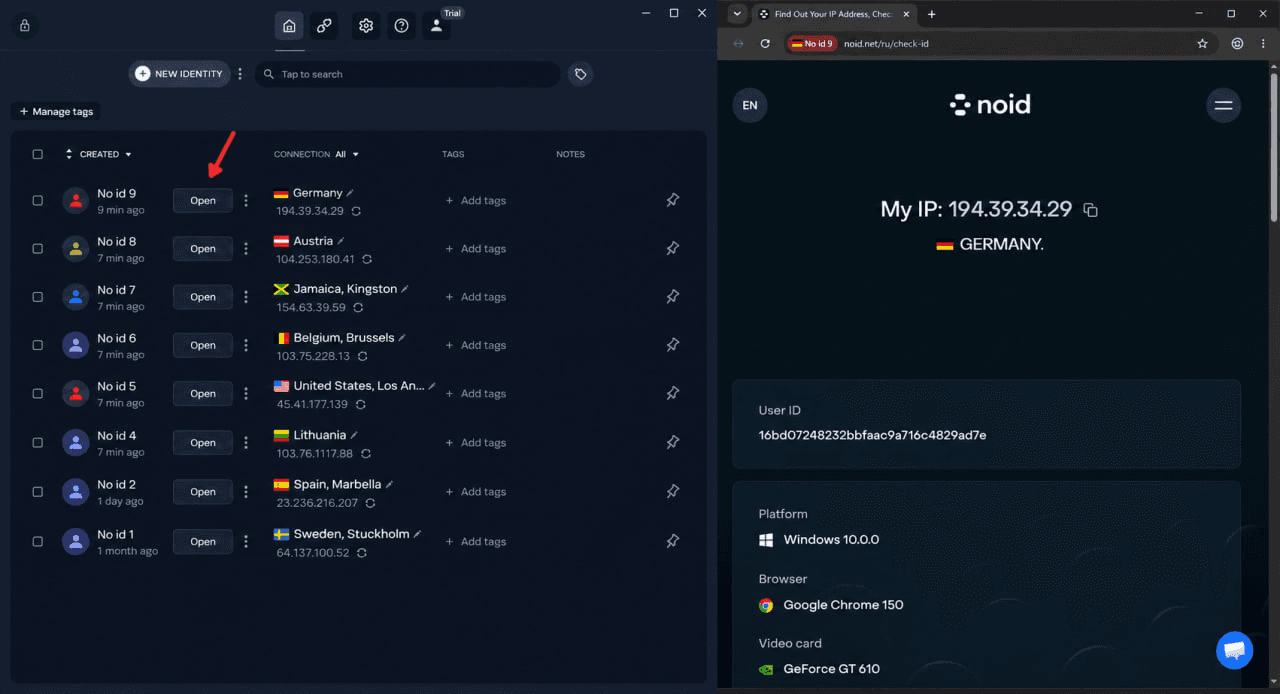
That’s all you need to get started. You don’t have to study dozens of technical parameters just to open your first separate browser.
Start Your 7-Day Free Trial of NOID Browser
What If You Want to Learn Advanced Antidetect Setup?
If you eventually need more control over browser profiles, you can explore professional antidetect tools.
Two WADE X guides can help you get started:
- How to Get Started With WADE X Antidetect Browser — first launch and essential features.
- How to Set Up a Proxy in an Antidetect Browser — configuring your own Proxy connection.
<!-- TODO: Add a link to "How to Set Up an Antidetect Browser: A Beginner's Guide" once the article is published. -->
These resources will help you explore advanced configuration when you actually need it.