Why Antidetect Browser Core Updates Are Important
Learn why the Chromium version matters for an antidetect browser, how an outdated core can affect Browser Fingerprint consistency, and how to check the detected browser version with Whoer.

Alexey Mironov
Author covering privacy and digital security
When managing multiple accounts, antidetect browser users often focus on Proxy settings, User-Agent, Canvas, WebGL, and other Browser Fingerprint parameters. However, the foundation of the browser itself — its core — is just as important.
WadeX is based on Chromium. The core version affects browser API support, page rendering, JavaScript behavior, and many other characteristics that websites can analyze alongside the Browser Fingerprint.
For this reason, keeping the browser core up to date is important not only for website compatibility but also for maintaining a consistent browser environment.
What Is a Browser Core?
A browser core is a set of components responsible for processing web pages, executing JavaScript, and interacting with browser APIs.
Most modern antidetect browsers are based on Chromium, the same technology that powers Google Chrome.
An antidetect browser also manages the parameters that websites receive from the browser. These may include:
- Canvas and WebGL;
- User-Agent and Client Hints;
- Navigator and Screen parameters;
- fonts and system characteristics;
- other Browser Fingerprint components.
In WadeX, these parameters are part of an individual browser profile. It is important that they remain consistent with the capabilities and behavior of the Chromium version used by the profile.
Why the Chromium Version Matters
Chromium is continuously evolving. New releases introduce changes to browser APIs, JavaScript features, Client Hints, rendering behavior, and support for web technologies.
This means that the version number itself is only part of the picture.
For example, a browser may report one Chrome version through its User-Agent or Client Hints while its actual engine behaves like an older version. A website may potentially detect this type of inconsistency.
That is why simply setting a recent User-Agent is not enough. Other characteristics of the browser environment should also be consistent with the reported browser version.
How Websites Can Determine the Browser Version
Websites do not have to rely exclusively on the User-Agent to identify a browser version. They can compare several technical signals.
JavaScript APIs
New Chromium releases introduce new functionality and change the behavior of existing APIs. If a reported browser version should support a particular feature but the actual engine does not, this may create a detectable mismatch.
Client Hints
Headers from the Sec-CH-UA family can provide additional information about the browser, version, and platform.
Canvas and WebGL
Graphics-related APIs are influenced by the browser, operating system, GPU, and other parts of the environment.
Web Technology Support
Chromium versions may differ in their support for CSS features, JavaScript functionality, Web APIs, and other technologies.
Anti-fraud systems can evaluate several of these signals together. As a result, a correctly configured User-Agent alone does not make the entire Browser Fingerprint consistent.
What Happens When the Browser Core Is Outdated?
An outdated core can first cause compatibility problems. Modern websites and web applications may rely on functionality that is unavailable or behaves differently in an older Chromium version.
For antidetect browsers, there is another consideration: Browser Fingerprint consistency.
If the browser version reported by a profile does not match the capabilities of the actual engine, a website may notice technical discrepancies. Depending on the platform and other signals, this may contribute to additional checks, CAPTCHA challenges, or requests to authenticate again.
However, the browser core is only one part of the overall environment. Websites may also consider IP Reputation, Cookies, account history, geolocation, ASN, and behavioral signals.
An up-to-date core therefore does not guarantee that a profile will avoid additional checks. It primarily helps prevent inconsistencies related to the browser version itself.
How This Works in WadeX
WadeX uses Chromium as the foundation for its browser profiles.
The core version should be considered together with the other profile parameters. User-Agent, Client Hints, Browser Fingerprint, and the capabilities supported by the browser should form a consistent environment.
This is particularly important when using a Proxy. You can configure the correct IP address and geolocation while still having inconsistencies at the browser level. For this reason, it is useful to check both the network and browser environments.
In WadeX, you can first verify the Proxy and its geolocation using the built-in Proxy & Geo checker and then inspect the profile with external testing services.
How to Check the WadeX Browser Core Version
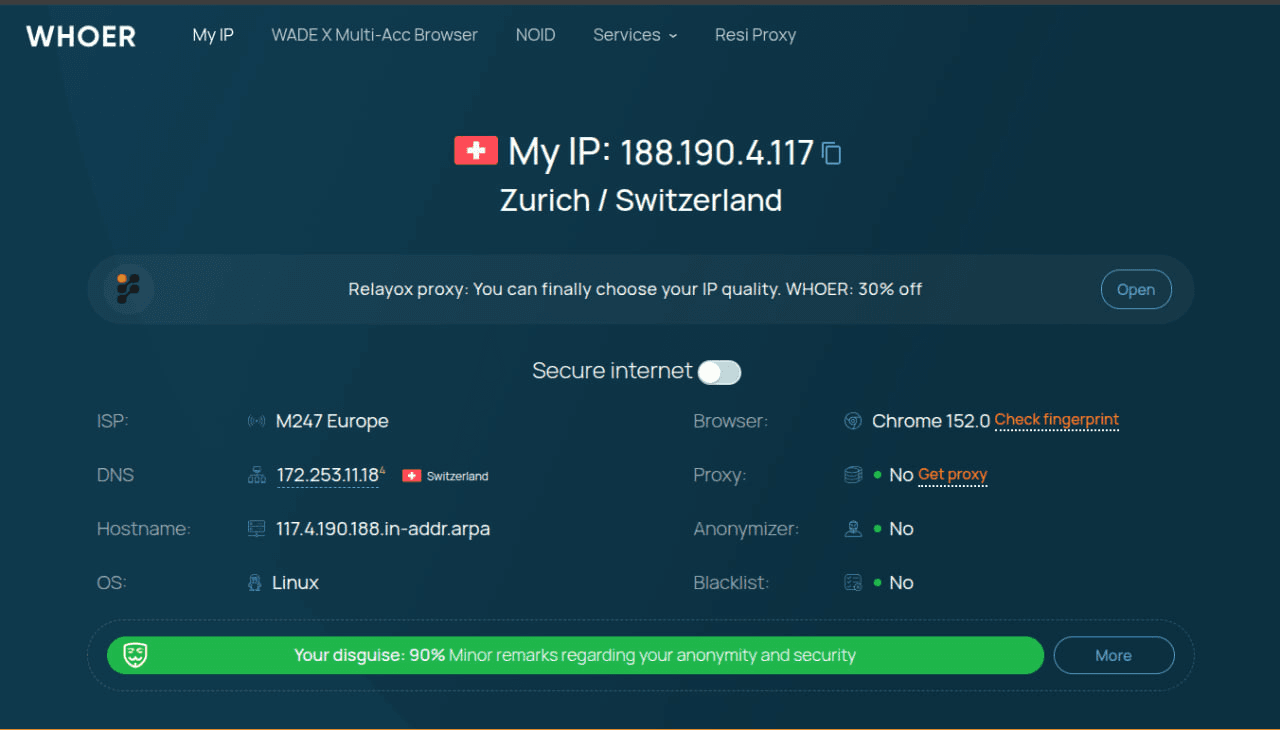
One simple option is to open Whoer directly inside a running WadeX profile.
Whoer shows the browser and browser version detected by the website. This makes it useful after creating or modifying a profile: you can compare the detected browser version with the Chromium version you expect the profile to use.
At the same time, Whoer can be used to check the public IP address, geolocation, and other connection parameters. This allows you to inspect both the browser and network sides of the profile in one place.
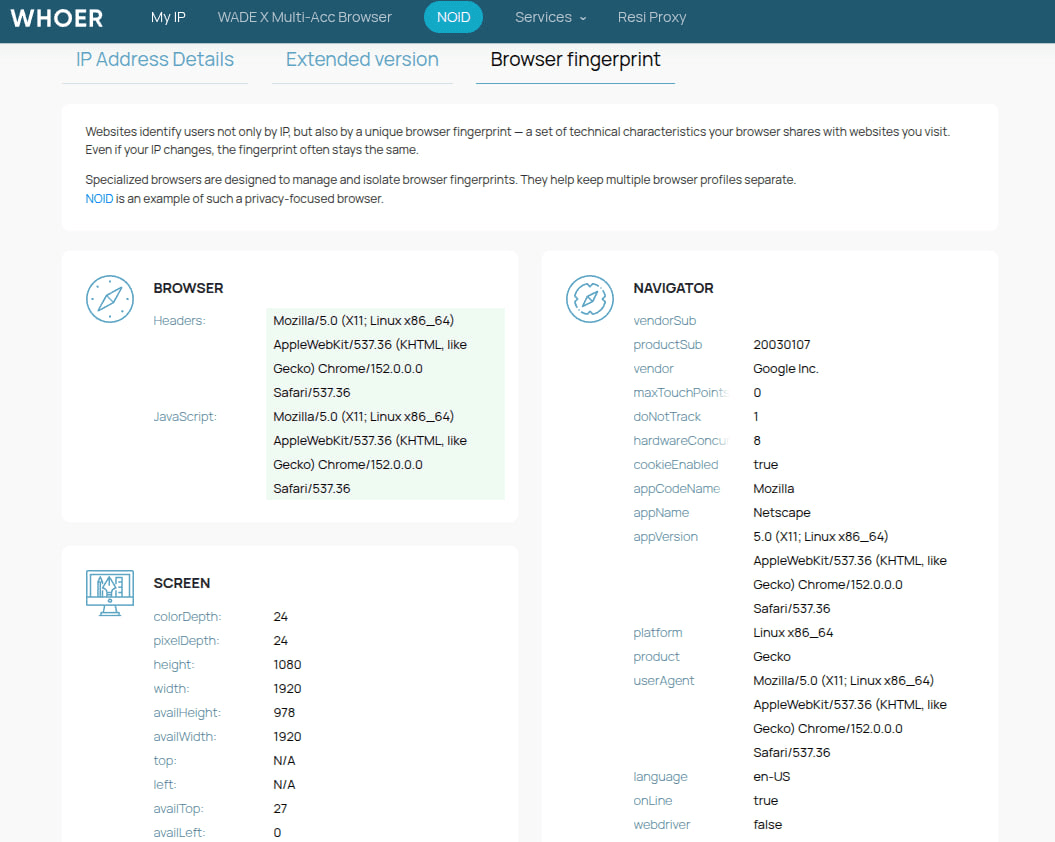
For a more detailed analysis, Whoer also provides a dedicated **Browser Fingerprint Checker. It can be used to inspect the Browser Fingerprint and additional browser characteristics detected by the website.
Why Browser Core Updates Take Time
Updating Chromium in a regular browser is different from updating the core of an antidetect browser.
After moving to a new Chromium version, developers need to make sure that Browser Fingerprint management continues to work correctly. Chromium changes may affect APIs, Client Hints, WebGL, WebRTC, and other browser components.
Therefore, when evaluating an antidetect browser, it is worth looking beyond the number of profiles, available features, or interface. How the product handles Chromium updates is also important.
Being the first to adopt a new Chromium release does not automatically provide better protection. Correct integration matters more: the browser core and Browser Fingerprint parameters should remain internally consistent.
Conclusion
The Chromium core is a fundamental part of the browser environment. Its version affects JavaScript APIs, Client Hints, rendering, and other characteristics that websites can use when analyzing a browser.
In WadeX, the browser core should be considered together with the Browser Fingerprint, Proxy, IP Geolocation, and other profile parameters. An up-to-date and consistent configuration helps prevent technical mismatches between the reported browser version and its actual behavior.
After launching a profile, you can additionally check the detected browser version through Whoer, while also verifying that the IP address and geolocation match the intended network environment.
An up-to-date browser core does not guarantee that an account will avoid blocks or anti-fraud checks. It is one component of a properly configured and consistent browser profile.